See your photo as a finished rug.
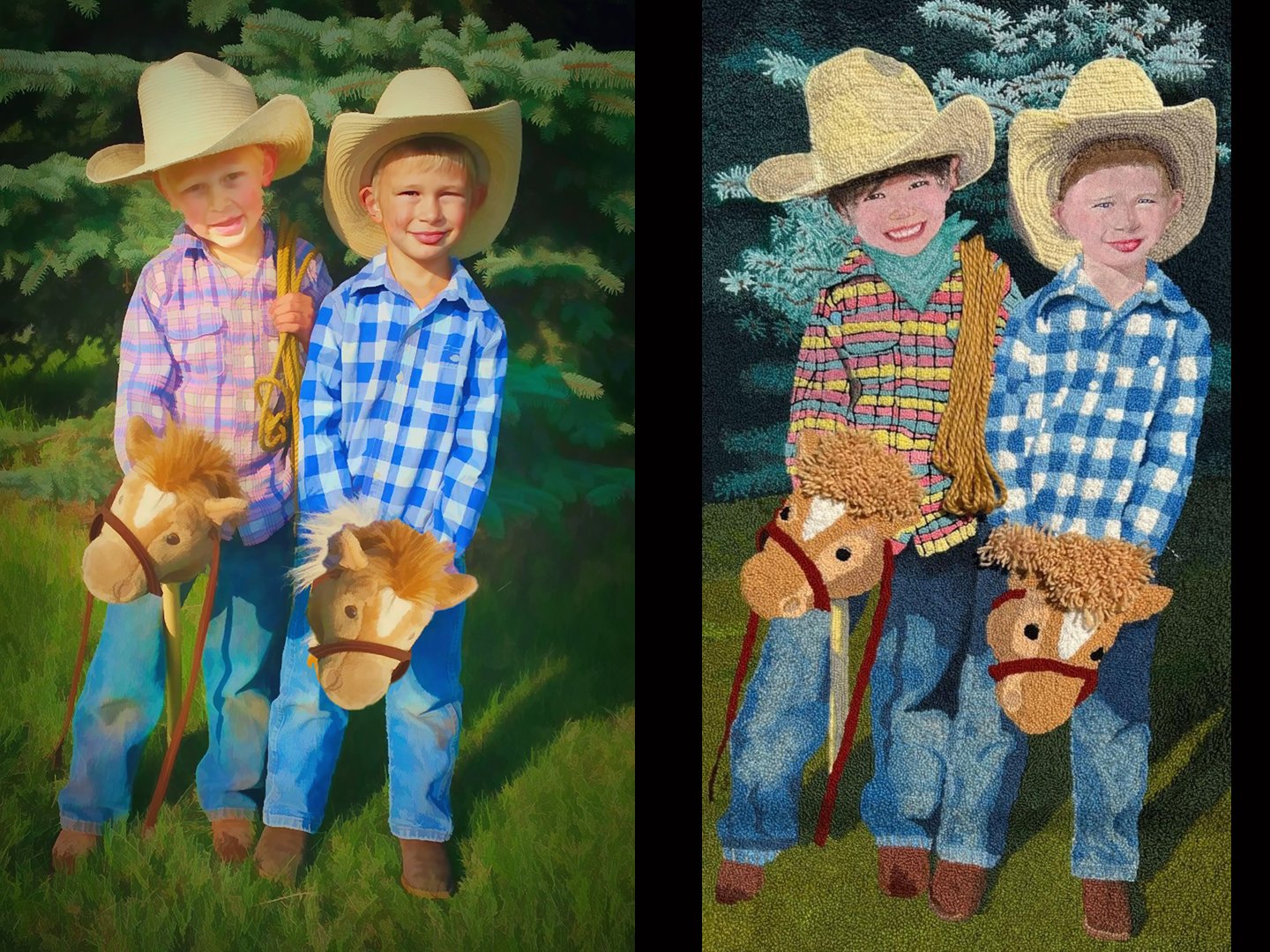
Before you dye a strip or pull a single loop, know exactly how it will look. Rug Hook Studio re-imagines any photo as a photorealistic hooked rug — in yarn loops or traditional cloth strips — complete with a wool colour palette you can plan your project around.
Mac & Windows · one-time purchase · free bug fixes forever
Three steps from photo to rug
No design experience needed — Rug Hook Studio does the re-imagining for you.
- 1
Load your photo
Open any picture from your computer — a pet, the grandkids, a favourite view. Anything you've dreamed of hooking.
- 2
Choose your look
Yarn loops or traditional cloth strips, chunky or fine, calm or busy background. Then press Generate.
- 3
See it as a rug
Your photo comes back as a photorealistic hooked rug. Fine-tune the colours live, then save the image.
A colour palette you can actually shop from.
Real rugs aren't hooked in a million colours — they're hooked in the wools you have. Tell Rug Hook Studio how many colours to use, from 4 to 40, and it repaints the whole rug in that limited palette.
The colour sliders work live, with no waiting and no extra cost — nudge the number of colours and the colour punch until the preview matches the wool you're prepared to dye, cut, or buy.
Get Rug Hook Studio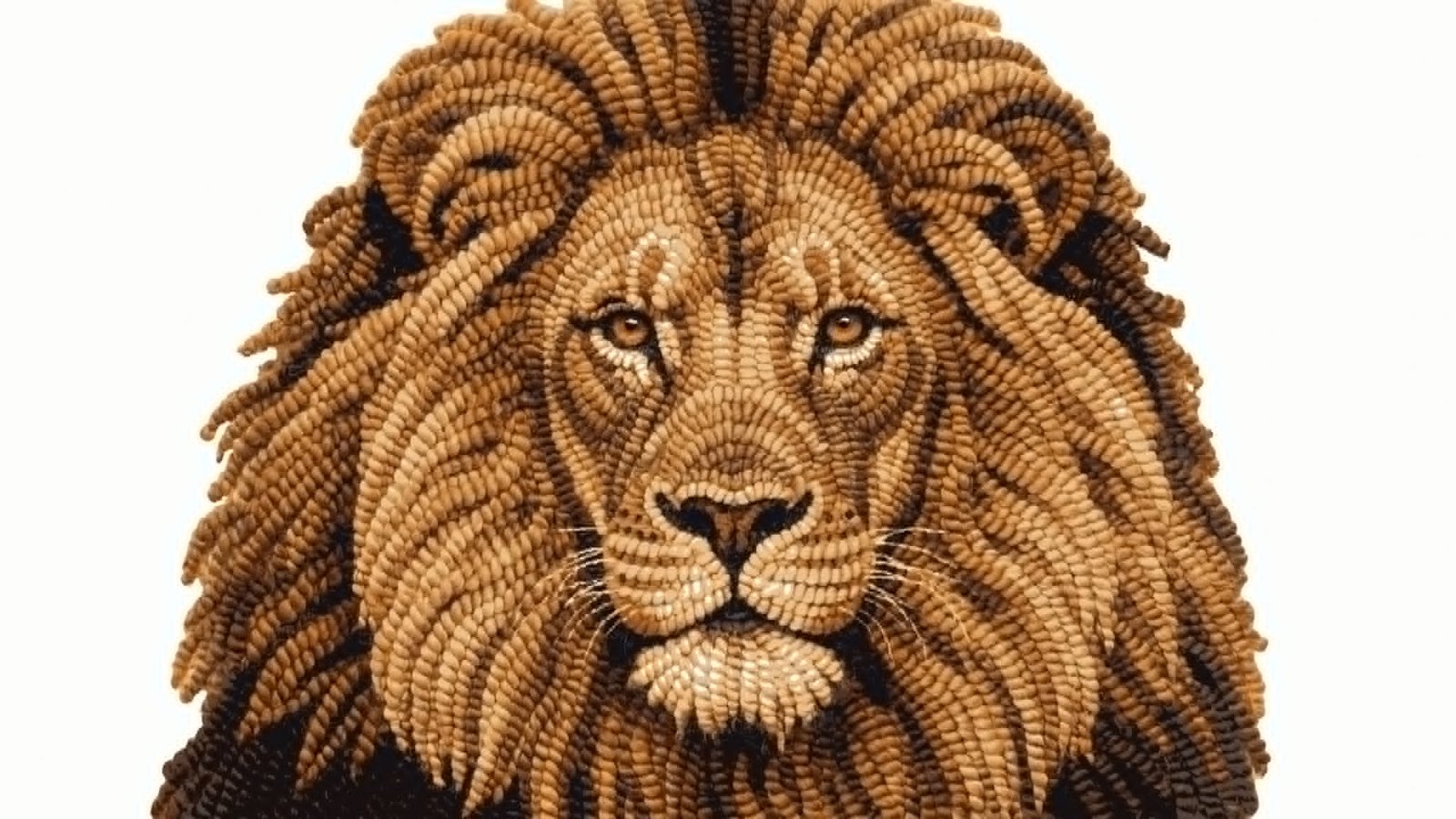
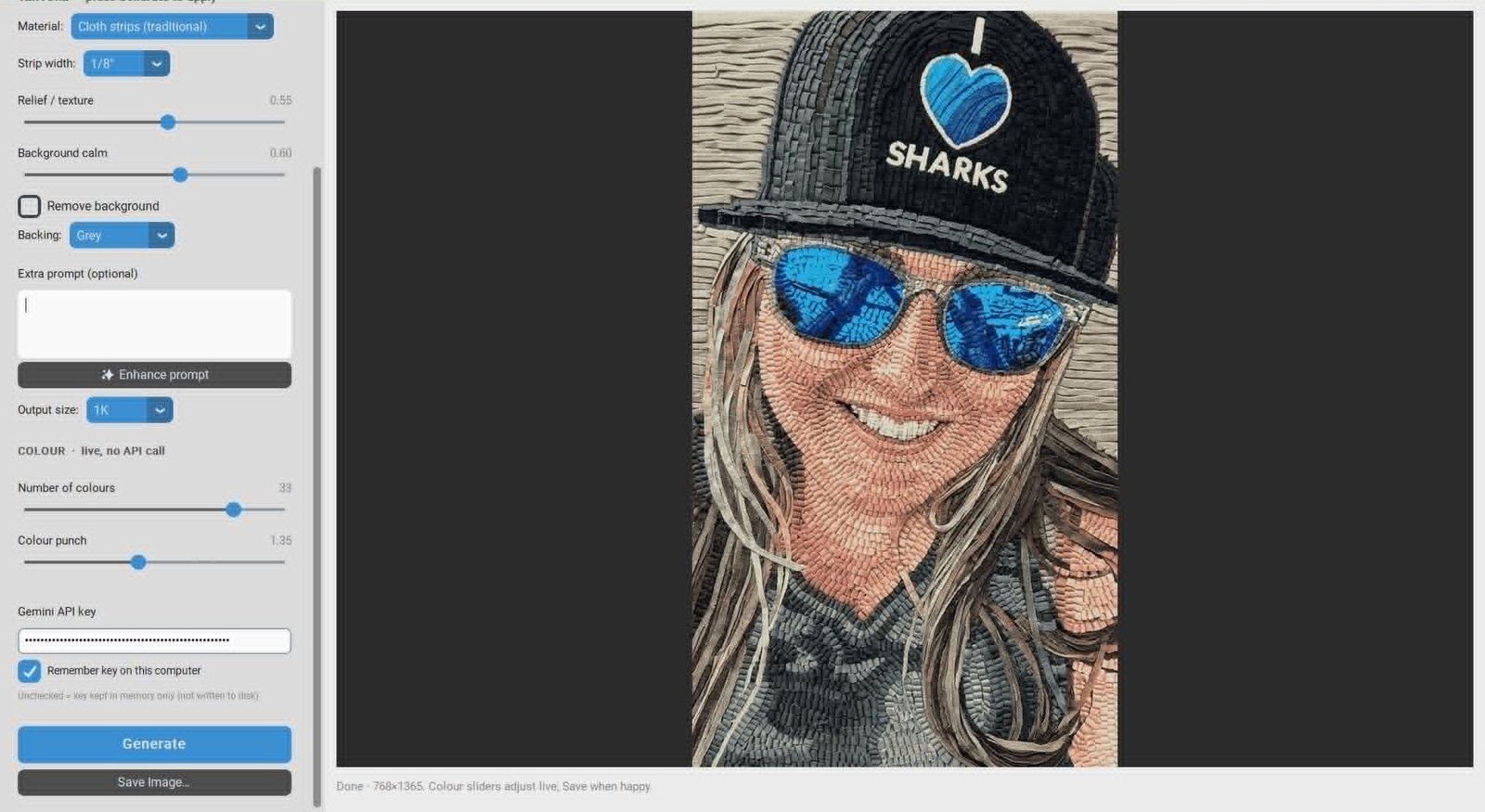
The real app — nothing to figure out
Everything's on one screen: open a picture, choose your material and colours, press Generate. Here it's rendering a portrait in traditional cloth strips at a 1/8" cut.
- Keep the background, calm it down, or remove it entirely
- Pick the backing colour — white, black, cream, or grey
- Save at up to 4K for a crisp, shareable image
Everything you need, nothing you don't
Yarn loops or cloth strips
Choose classic yarn loops with adjustable loop size, or traditional cloth strips in 1/8", 1/4", or 3/8" cuts.
A palette you can shop from
Limit the rug to 4–40 wool colours and adjust the mix live — so the preview uses colours you can actually dye or buy.
You art-direct it
Background calm, relief, backing colour, remove the background entirely — or type extra directions and let the app polish them for the AI.
Works from artwork, too
Starting from a collage, painting, or fiber piece instead of a photo? Artwork mode re-imagines it cleanly in two steps.
Print-ready output
Save your rug preview as a full-resolution image — up to 4K — to plan colours, share, or pin above your frame.
Your photos stay yours
Rug Hook Studio runs on your computer, and we never collect or store your photos.
See what people are making
Previews, works in progress, and finished rugs — all started from someone's photo. Browse them for ideas, or add your own.
One price. Yours for good.
No subscription, no renewals. Buy it once and keep it.
- Lifetime access — buy once, own it
- Free bug fixes, forever
- 12 months of product updates included
- Mac & Windows
Powered by Google's Gemini AI — a Gemini API key is required. Generating images typically costs about 7–25 cents each, billed directly by Google, never by us. Getting your free key takes just a few minutes, and the FAQ below links to a step-by-step video.
Questions, answered
Do I need to be good with computers?
No. If you can use email and a web browser, you can use Rug Hook Studio. It's one screen: open a picture, set a few sliders, press Generate.
Does it work on my computer?
Yes — Rug Hook Studio runs on both Mac and Windows. You buy the version for your computer and install it like any other app.
Is an API key required?
Yes. Rug Hook Studio uses Google's Gemini AI to create your rug images, so it needs an internet connection and your own Gemini API key. Getting the key is free and takes a few minutes — and your images go directly from your computer to Google, never through us. Prefer to watch instead?
Watch the video: getting your keyWhat does each image cost?
Images are generated with your own Google Gemini key and typically cost from about 7 to 25 cents each depending on the model and size you choose. That small charge is billed directly by Google, never by us.
Does it give me a pattern to hook from?
Rug Hook Studio makes a realistic picture of the finished rug plus a wool colour palette — it's for seeing and planning. For a clean black-and-white outline pattern you can trace onto backing, pair it with our companion app TraceWorks.
Is it really a one-time purchase?
Yes. Buy once and it's yours — no subscription. You get free bug fixes forever, plus 12 months of product updates from the date you buy.
Still wondering about something? Ask us — we answer.
Ready to see your rug?
Pick your version and you'll be previewing rugs from your own photos tonight.
